CareStock connects the work caregivers document with the view managers need. Scroll through documentation, incident reporting, and operations.
01 / DAILY DOCUMENTATION
A clearer path through progress notes.
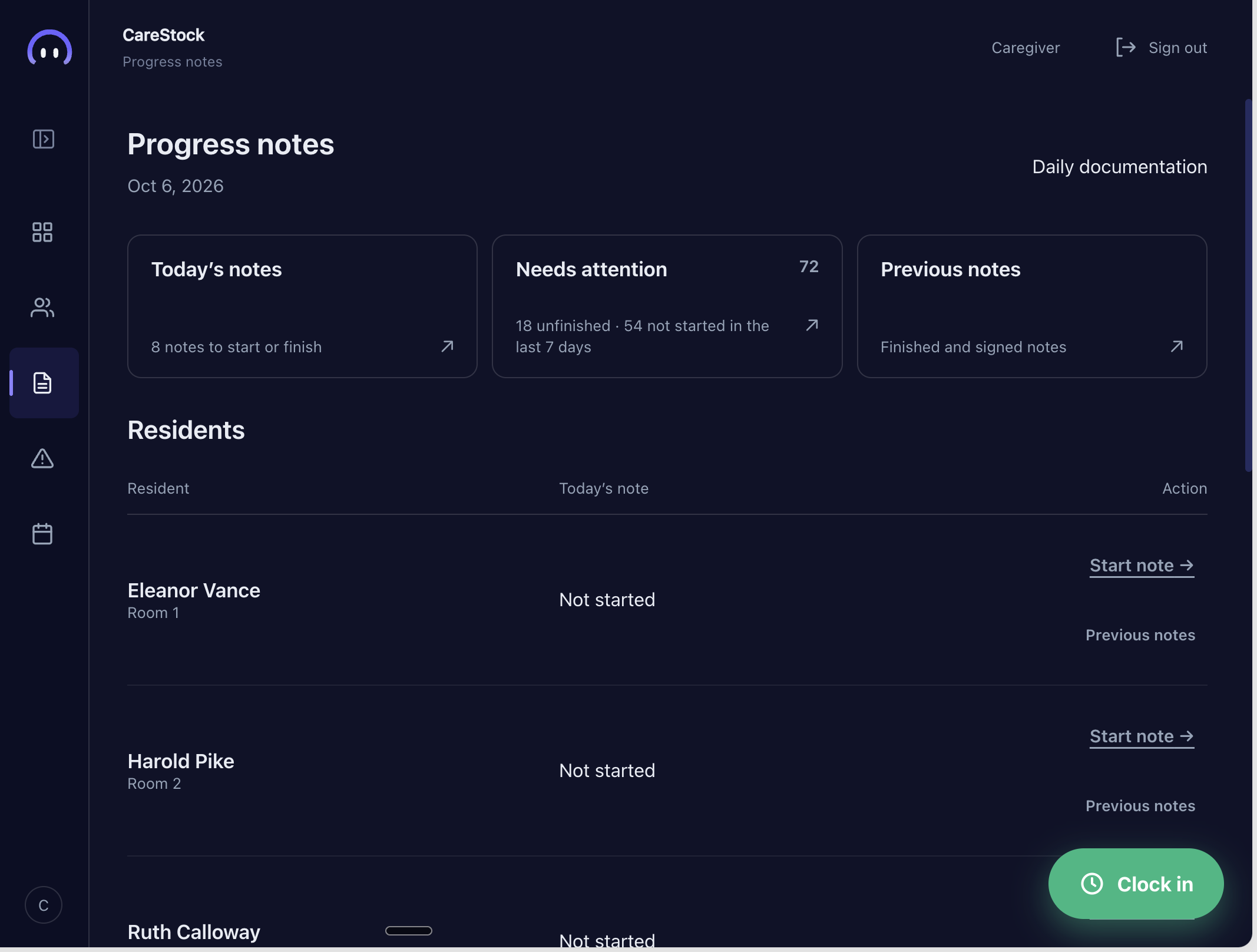
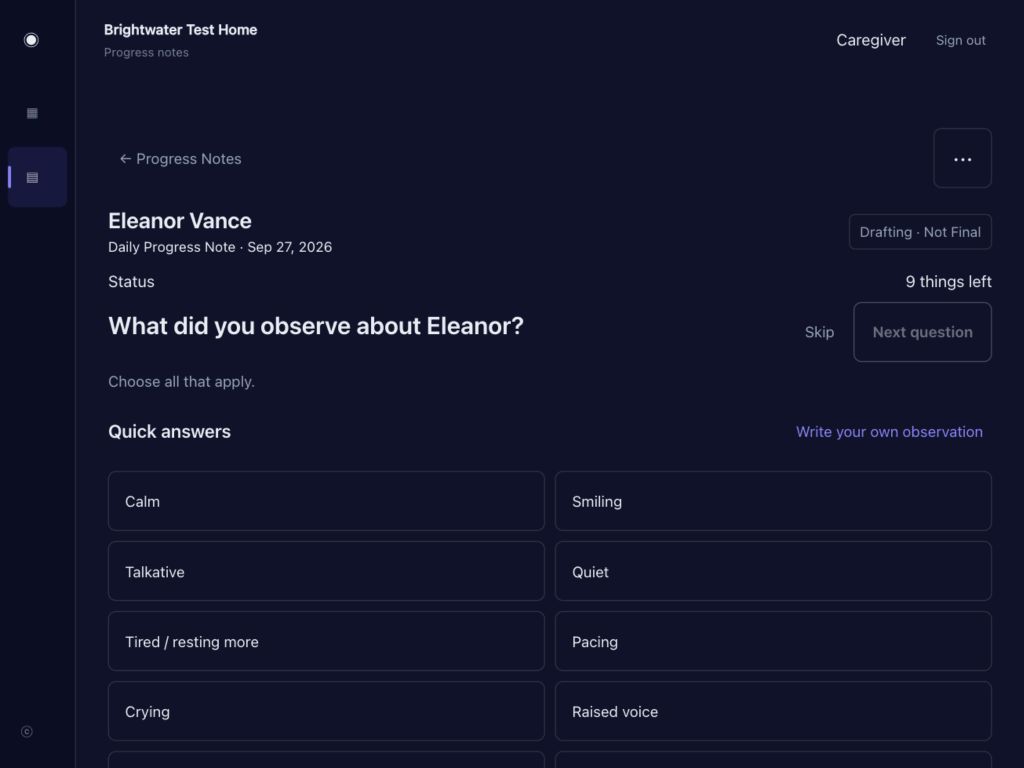
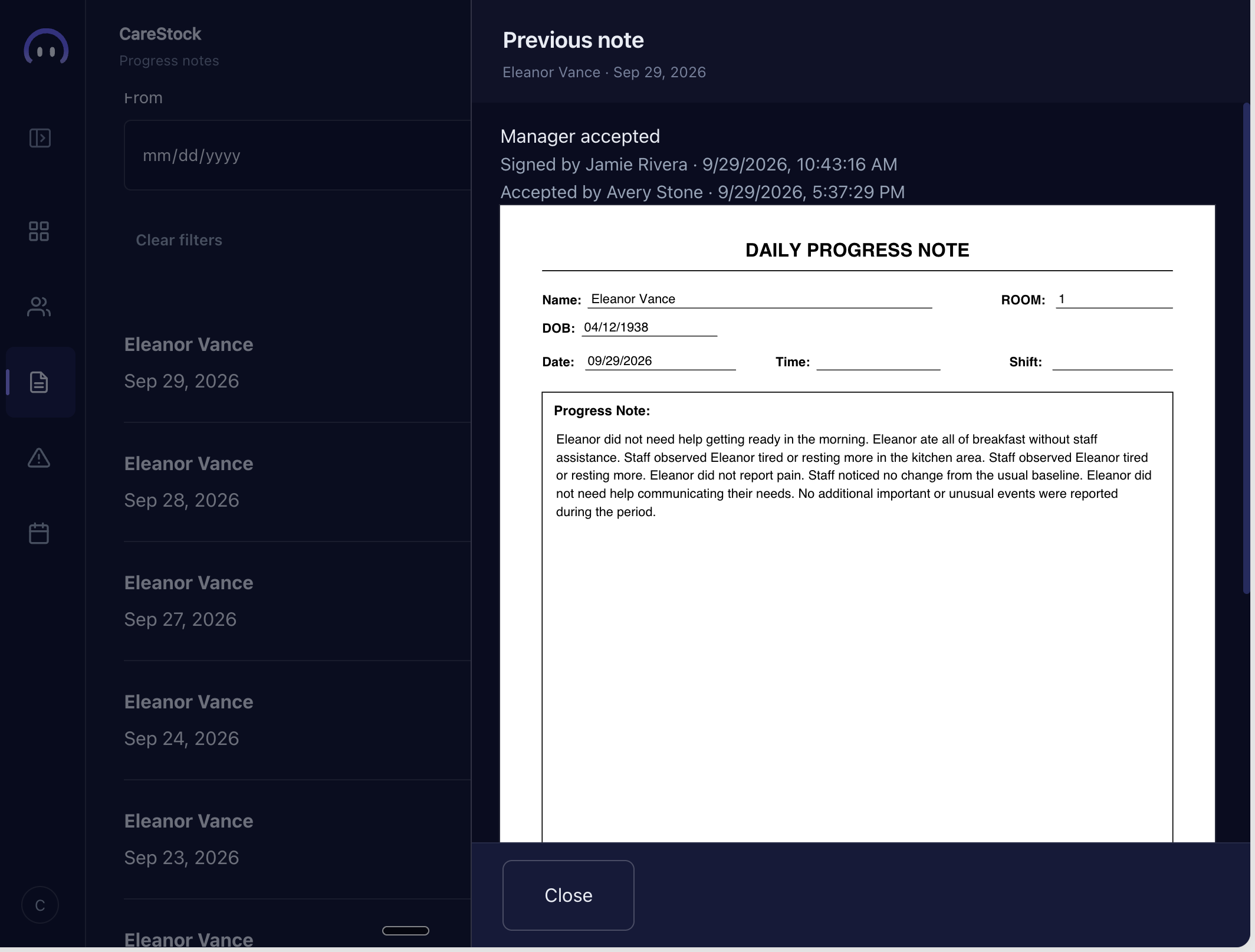
From today’s notes to a finished record, caregivers can document the day and managers can review it.
Swipe through three progress-note views.
Read narration
Here is how daily documentation connects. A caregiver can see which notes need attention, open a note, work through a series of focused questions, and add observations in their own words. Previous notes remain available, and managers have a path to review the completed record.
1 / 3
02 / INCIDENT REPORTING
A structured place to record what happened.
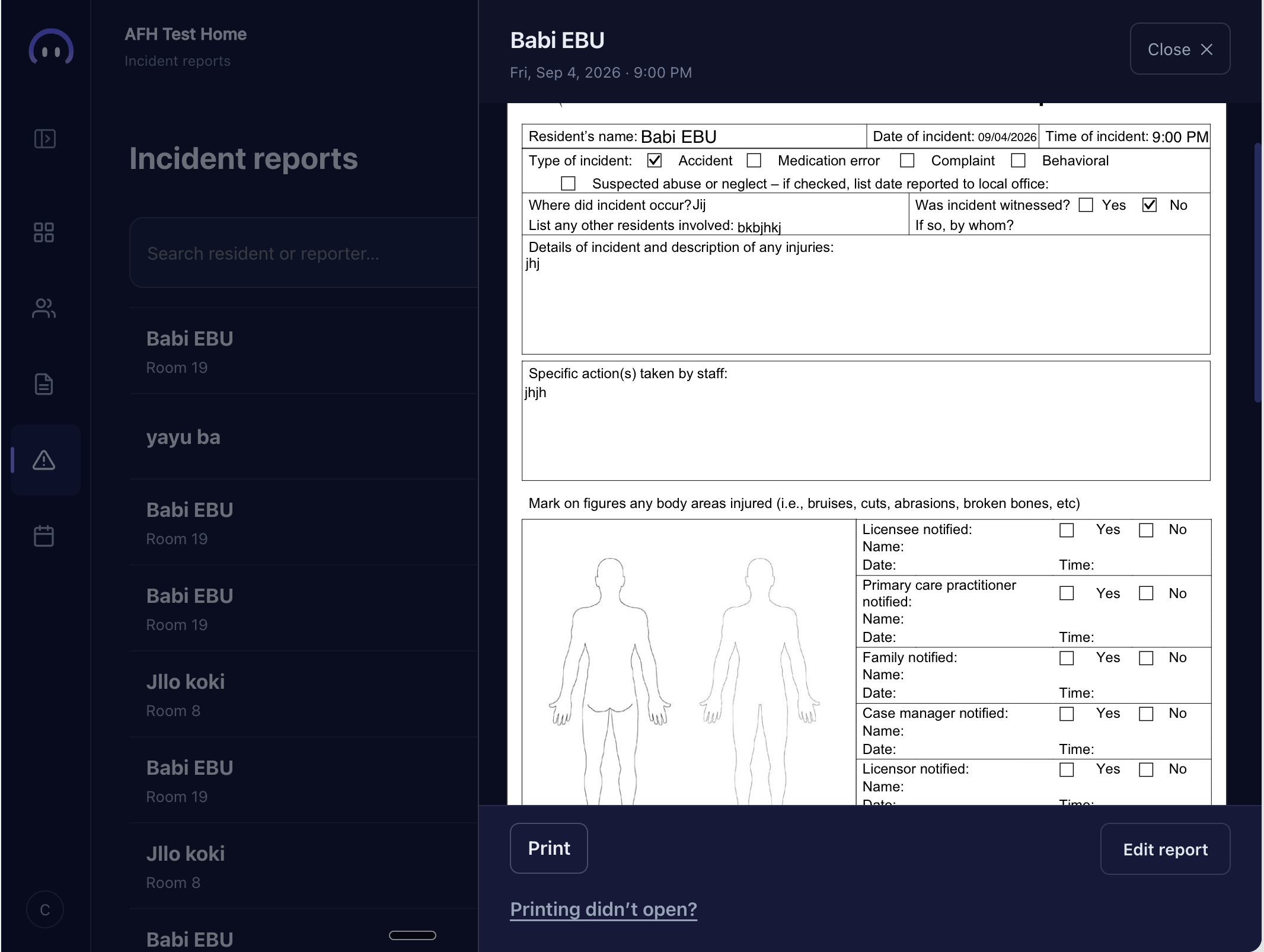
Caregivers can document an incident in one guided report, from who was involved and when it happened to the type, location, and written details.
Read narration
When something happens, the details need a clear place to go. In CareStock, an incident report asks who was involved, when and where it happened, and what type of incident it was. The caregiver can then describe what happened in their own words, keeping the account together in one report.
03 / DAILY OPERATIONS
The day in one calmer view.
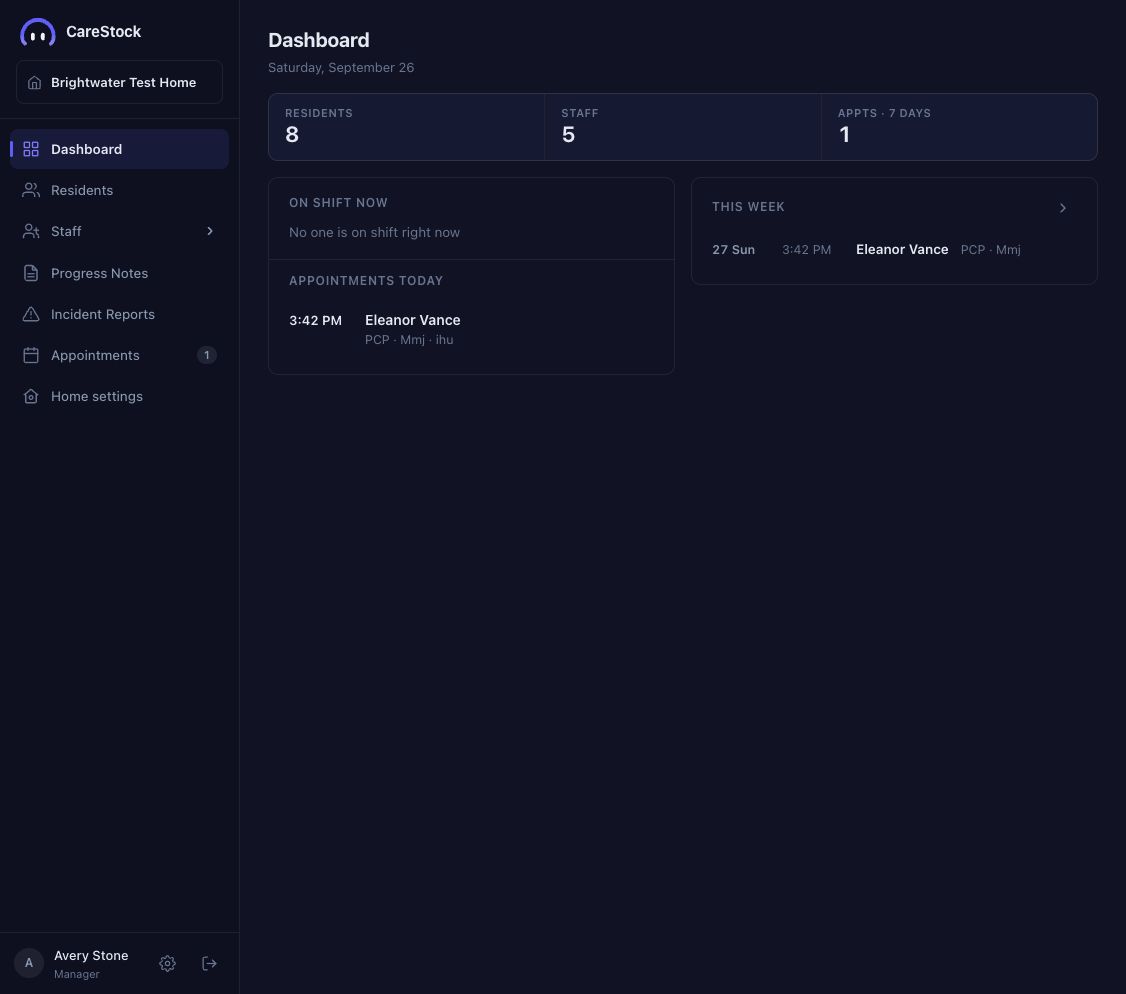
The dashboard keeps residents, staff, and upcoming appointments in view. The hours and appointment screens below show where managers can look closer.
Read narration
Now step back to the manager’s view. The dashboard brings residents, staff, and upcoming appointments into one place. It gives a quick sense of the day, while caregiver notes and staff hours remain part of the same CareStock workflow.
A closer look
Hours and appointments.
See how the day carries through from a shift to what is coming up next.
04 / STAFF HOURS
A clearer view of worked hours.
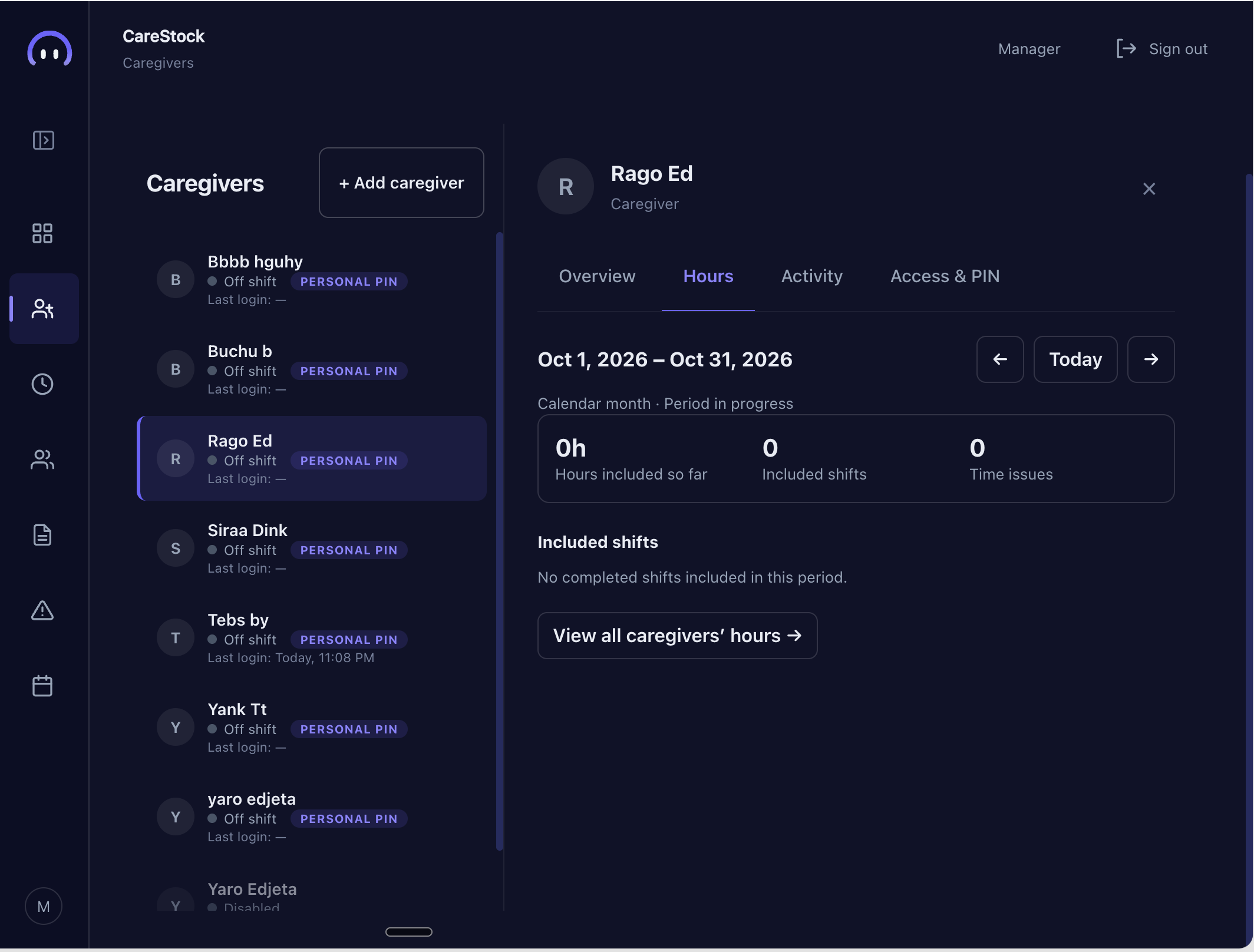
Caregivers can clock in and out. Managers can review hours, included shifts, and any time issues for the period.
Read narration
A caregiver can see when they are on shift and clock out when the shift is done. A manager can open that caregiver’s hours to check the period total, included shifts, and any time issues. Those two views help the home follow recorded work without losing the details of a shift.
05 / APPOINTMENTS
Keep the next visit in view.
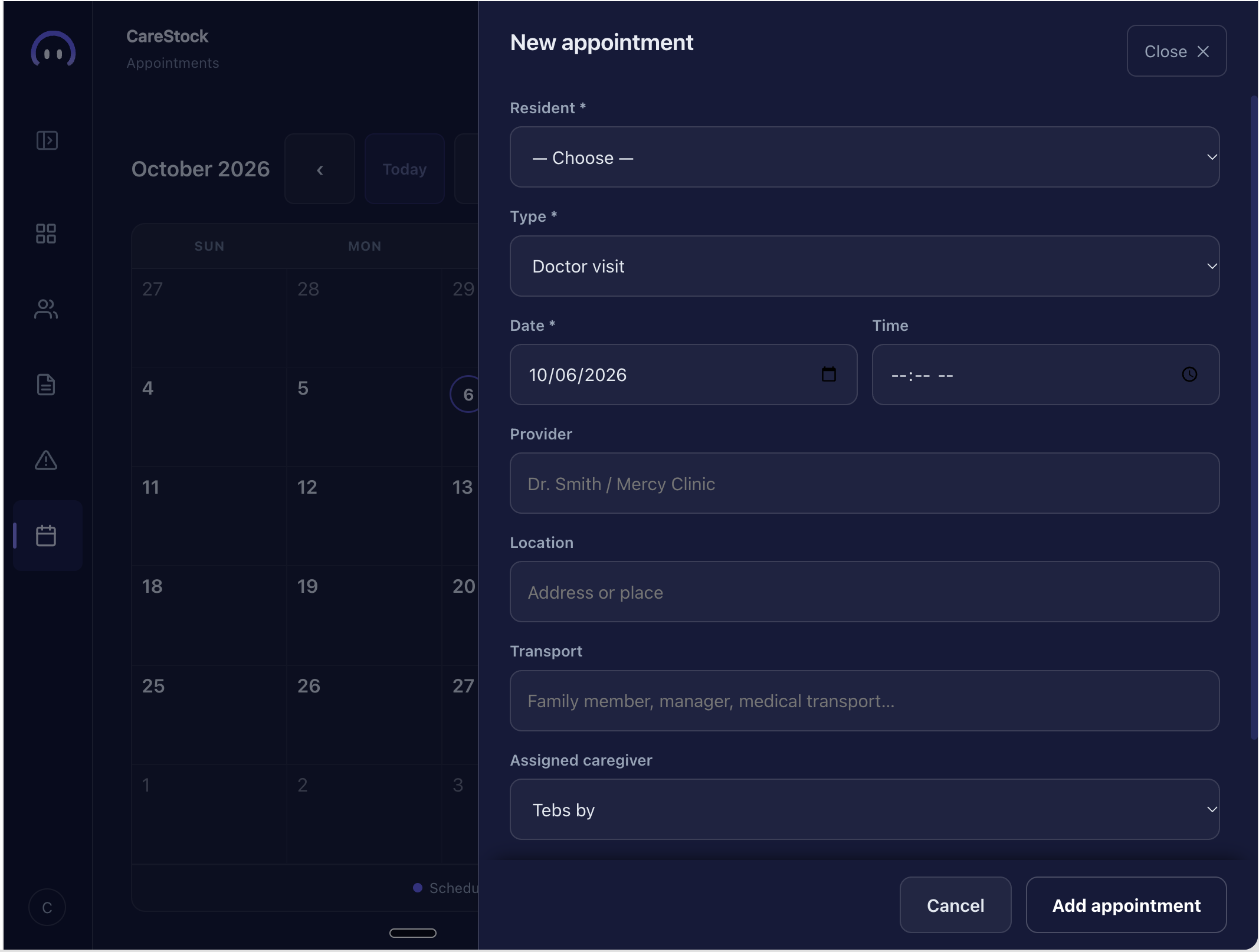
Managers can add an appointment from the calendar with its date, visit type, and the details needed to plan the visit.
Read narration
An appointment starts on the calendar. A manager can choose the resident, visit type, date, and time, then add helpful details like the provider, location, transport, or assigned caregiver. That makes the upcoming visit easier to see alongside the rest of the day.